# WooCommerce Settings
{% hint style="success" %}
* Log in to your WordPress admin panel.
* Navigate to **WooCommerce** > **Settings** from the WordPress Admin sidebar.
* You will see multiple tabs to configure your store settings.
{% endhint %}
### **WooCommerce Settings**
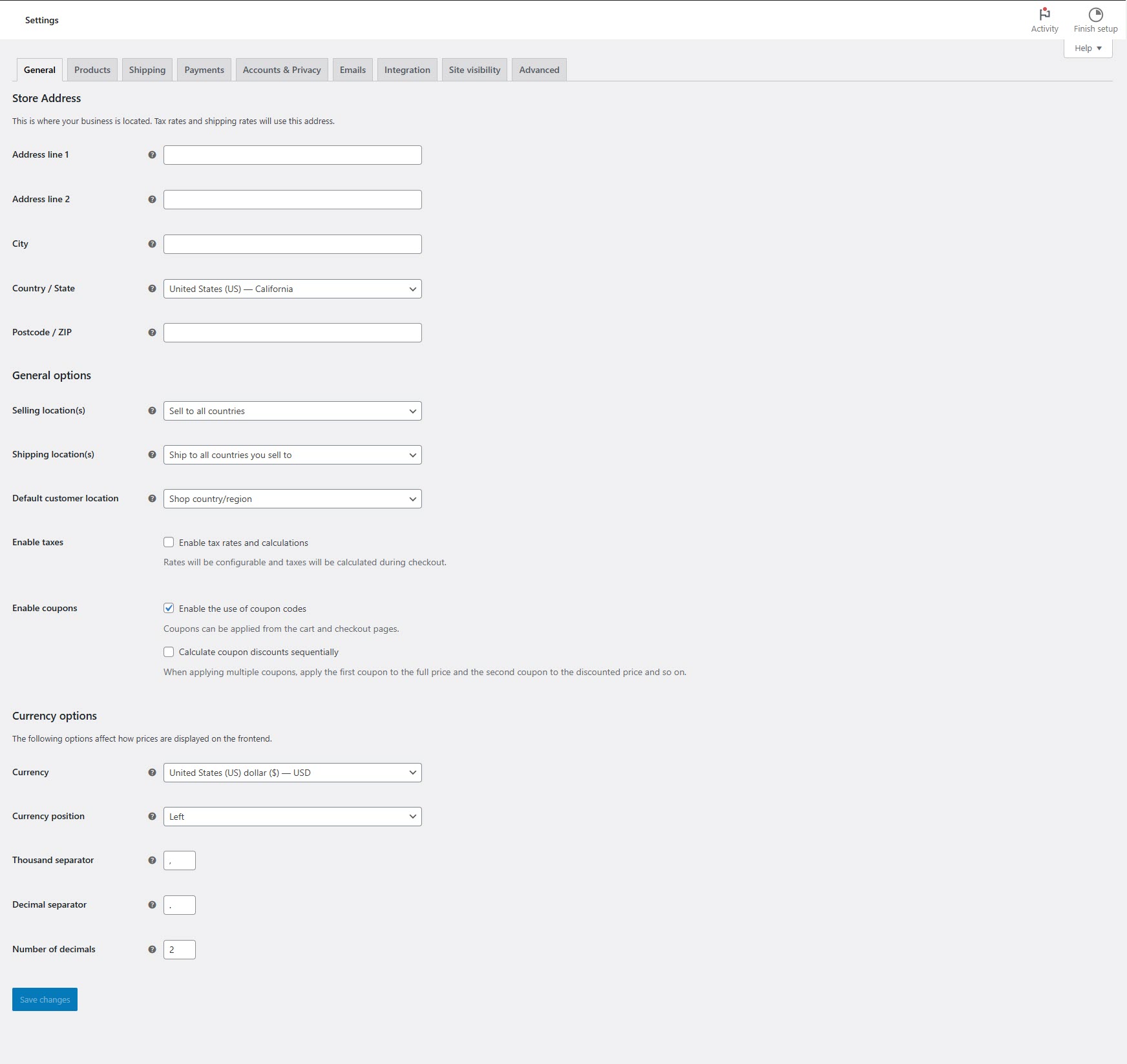
### **General Settings**
* **Store Address**: Enter your business location.
* **Selling Locations**: Choose countries where you will sell.
* **Currency Options**: Set the default currency, position, and formatting.
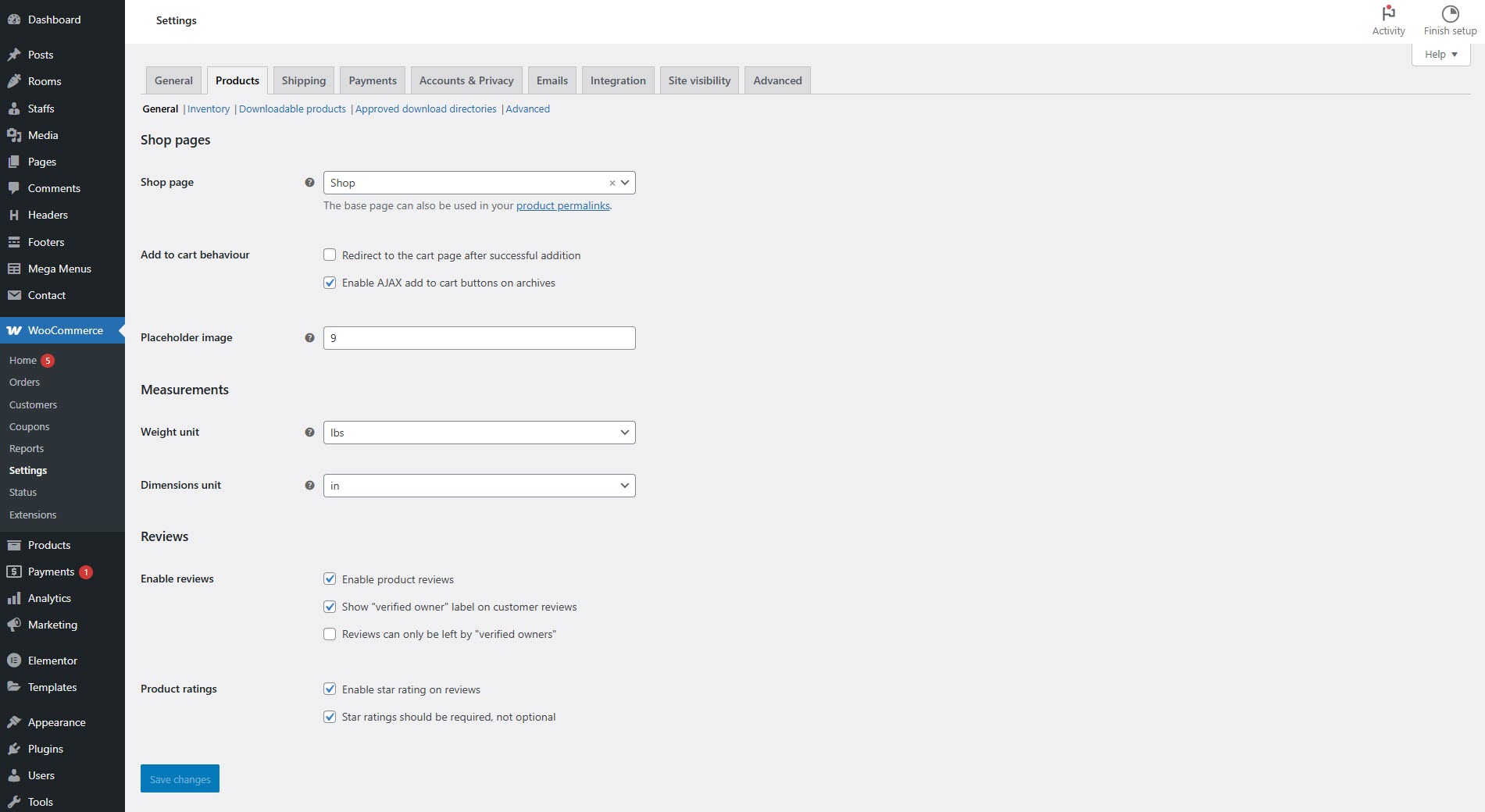
### **Products Settings**
* **Shop Page**: Select the page where your products will be displayed.
* **Measurements**: Define default weight and dimension units.
* **Inventory**: Enable stock management, set stock levels, and low-stock notifications.
* **Downloadable Products**: Configure file download methods (if selling digital products).
**Tax Settings (if enabled)**
* Set tax rates for different regions.
* Enable/disable tax calculations.
* Choose tax display options for store and checkout pages.
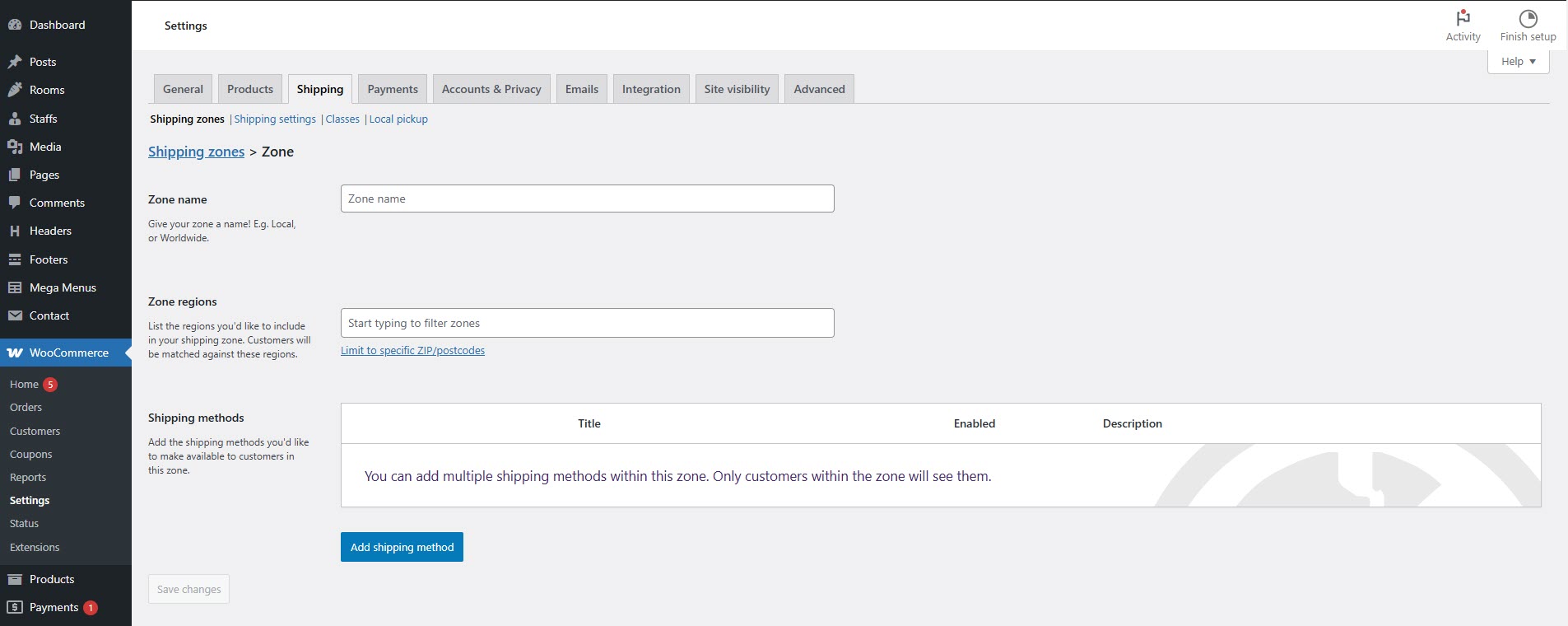
### **Shipping Settings**
* **Shipping Zones**: Define regions and shipping methods (e.g., free shipping, flat rate, local pickup).
* **Shipping Options**: Set default shipping destinations.
* **Shipping Classes**: Group similar products for different shipping rates.
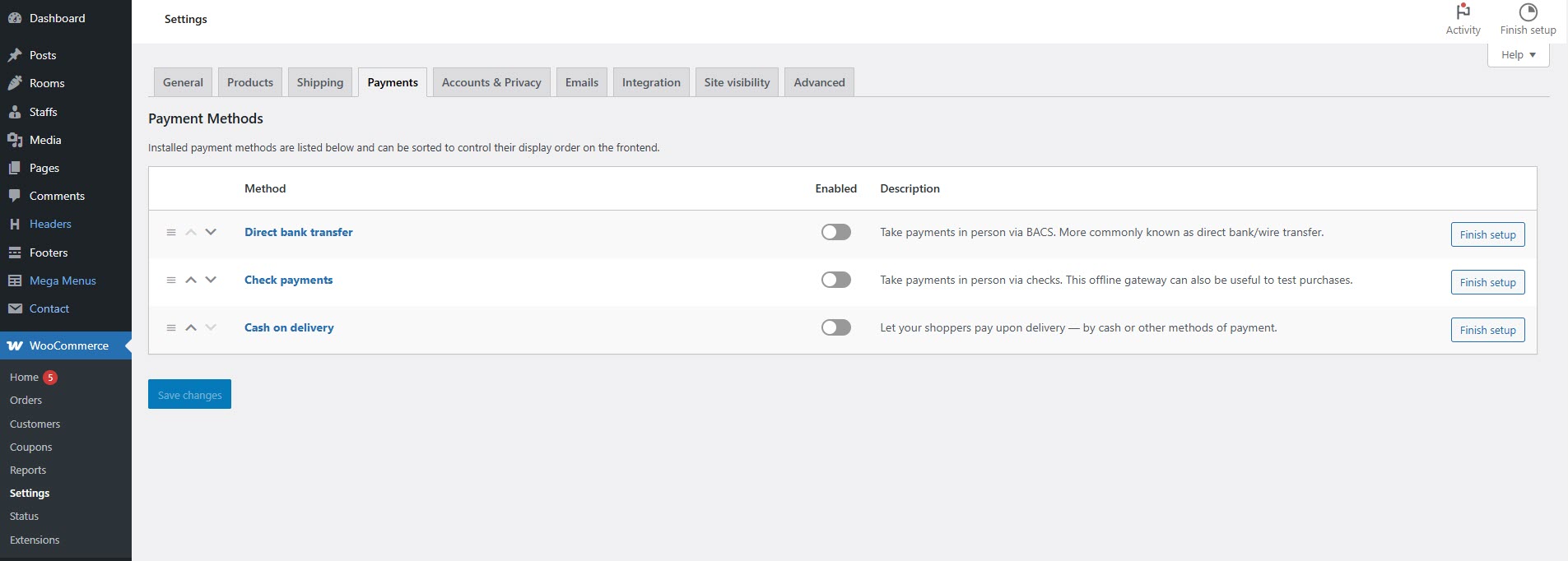
### **Payments Settings**
* Installed gateways are listed and can be dragged and dropped to control the order which they display to customers on the checkout.
* Enable/disable payment gateways like **PayPal, Stripe, Bank Transfer, Cash on Delivery**.
* Configure settings for each payment method (API keys, credentials, etc.).
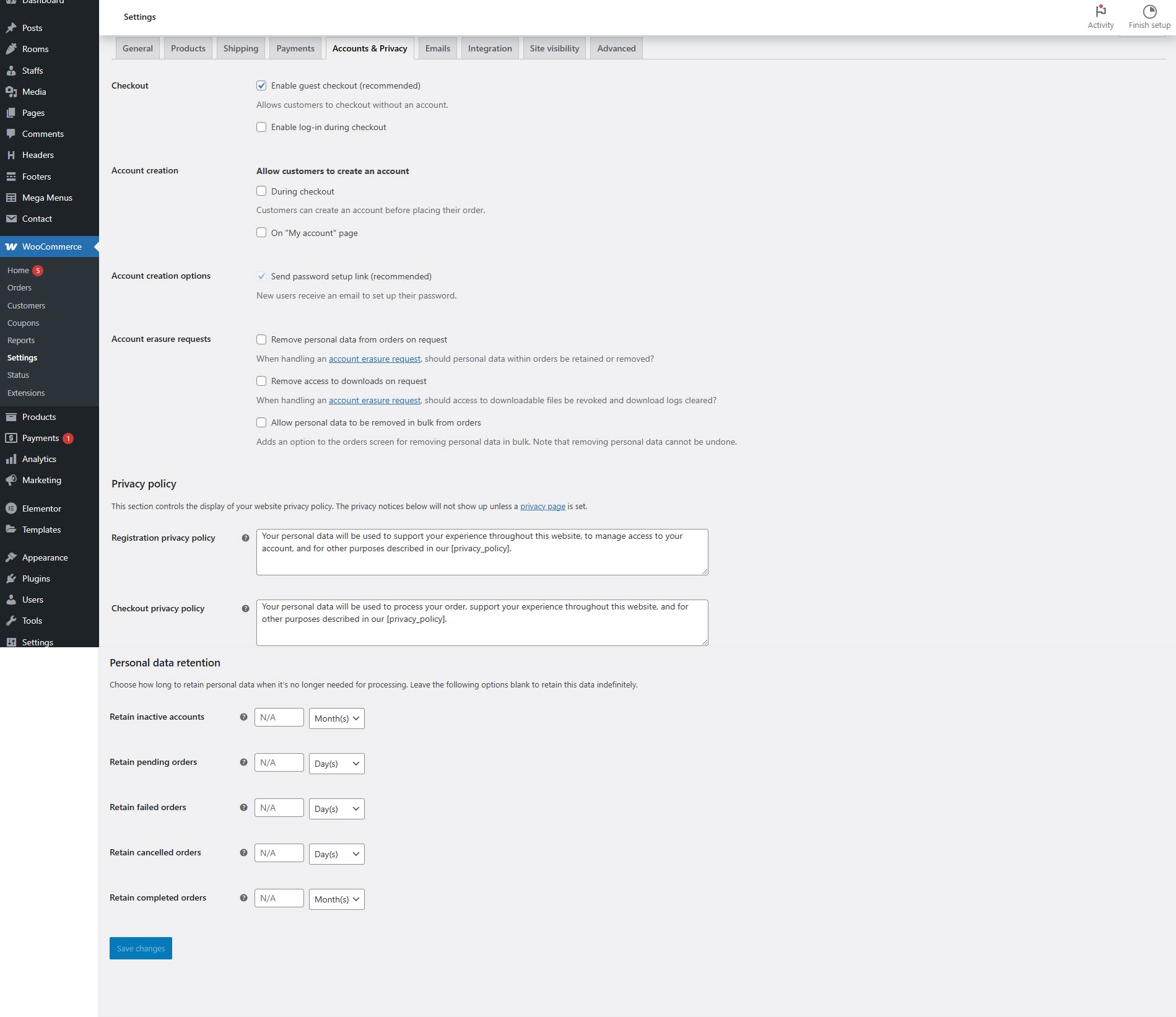
### **Accounts & Privacy Settings**
* Configure customer account registration and guest checkout options.
* Set privacy policies for data storage and retention.
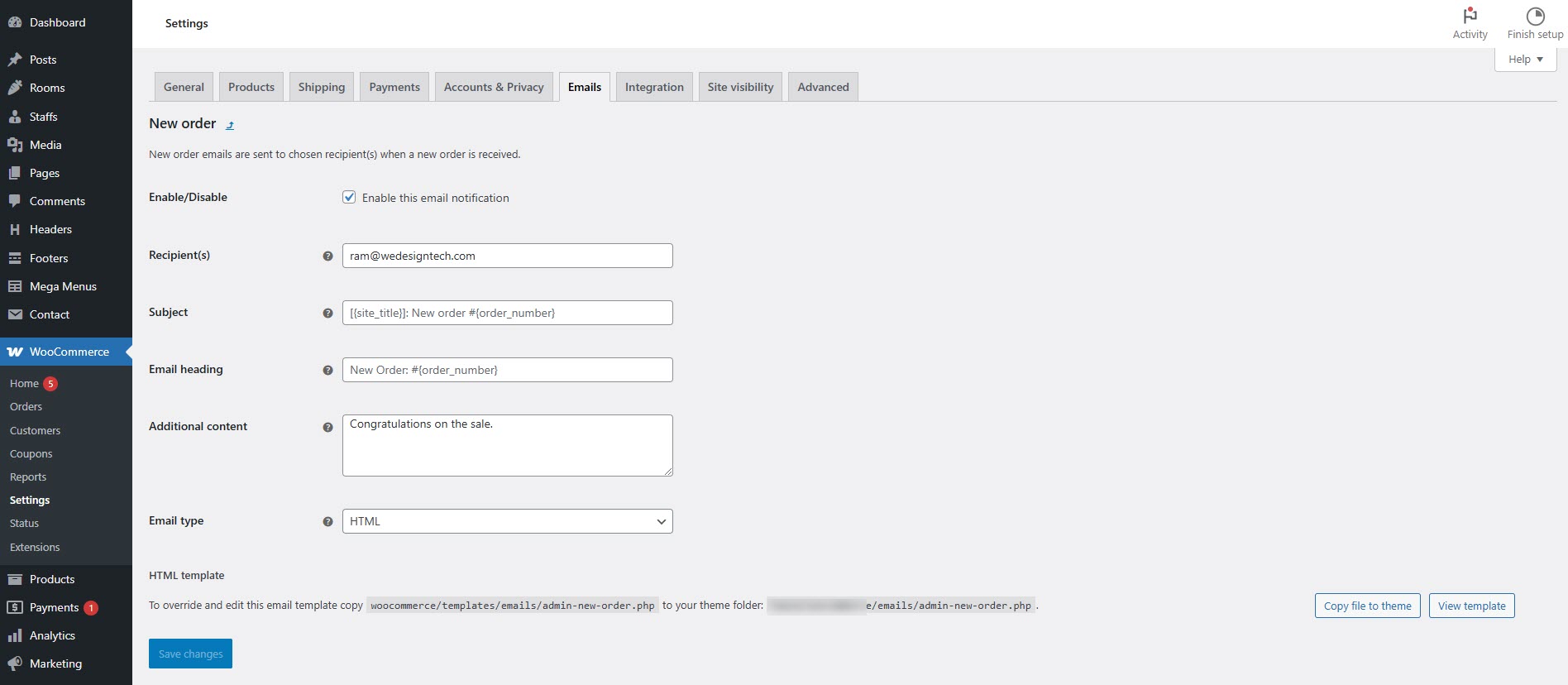
### **Emails Settings**
* Customize email templates for order notifications (new order, customer invoice, refunds, etc.).
* Set the sender name and email address.
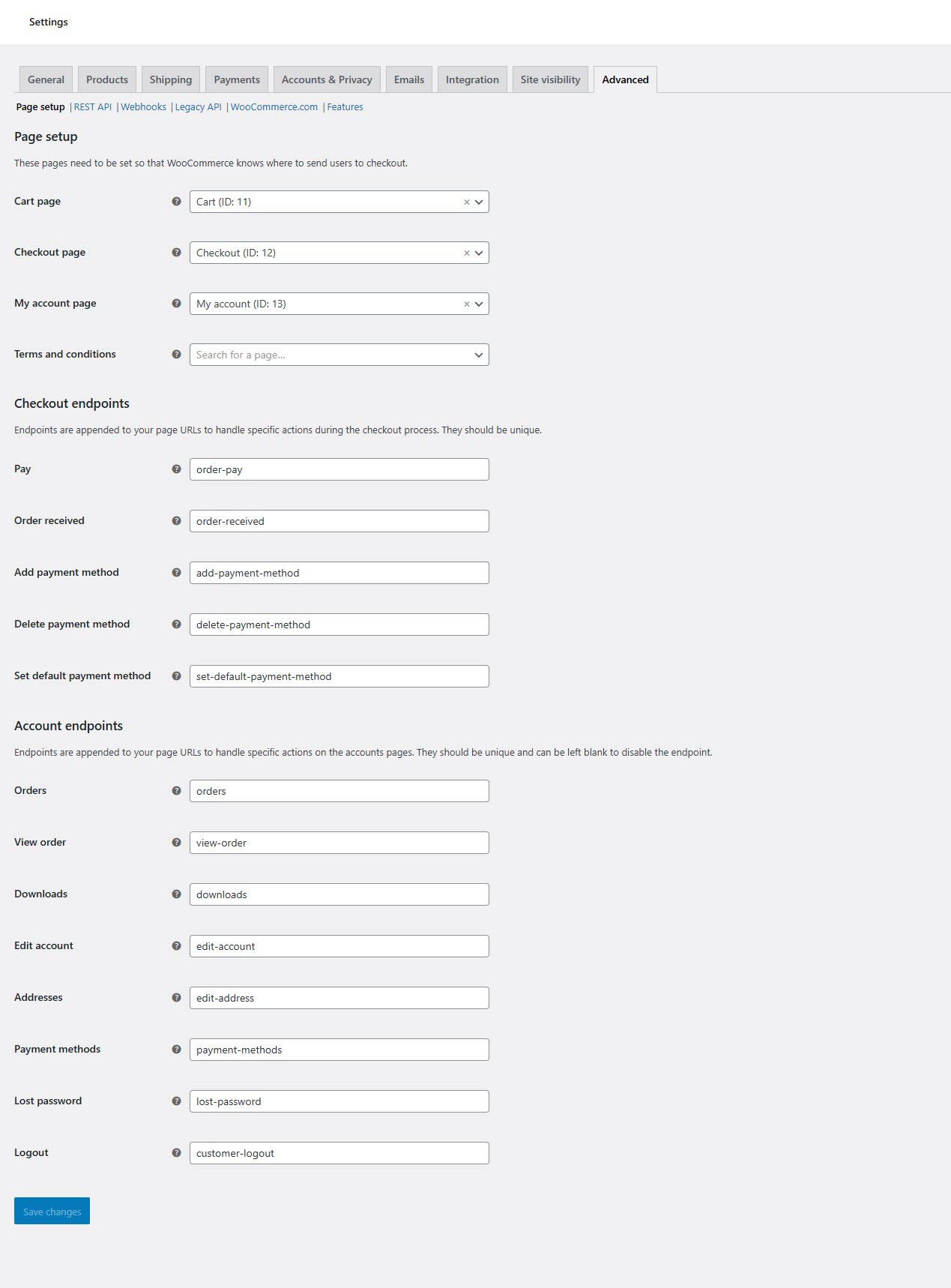
### **Advanced Settings**
* **Page Setup**: Define pages for cart, checkout, and account management.
* **REST API & Webhooks**: Configure API access for third-party integrations.
* **WooCommerce Scripts**: Enable debugging and logging for troubleshooting.