# Homepage Settings
The **Homepage Settings** in WordPress allow you to define what content appears on your site's homepage and blog page.
{% hint style="success" %}
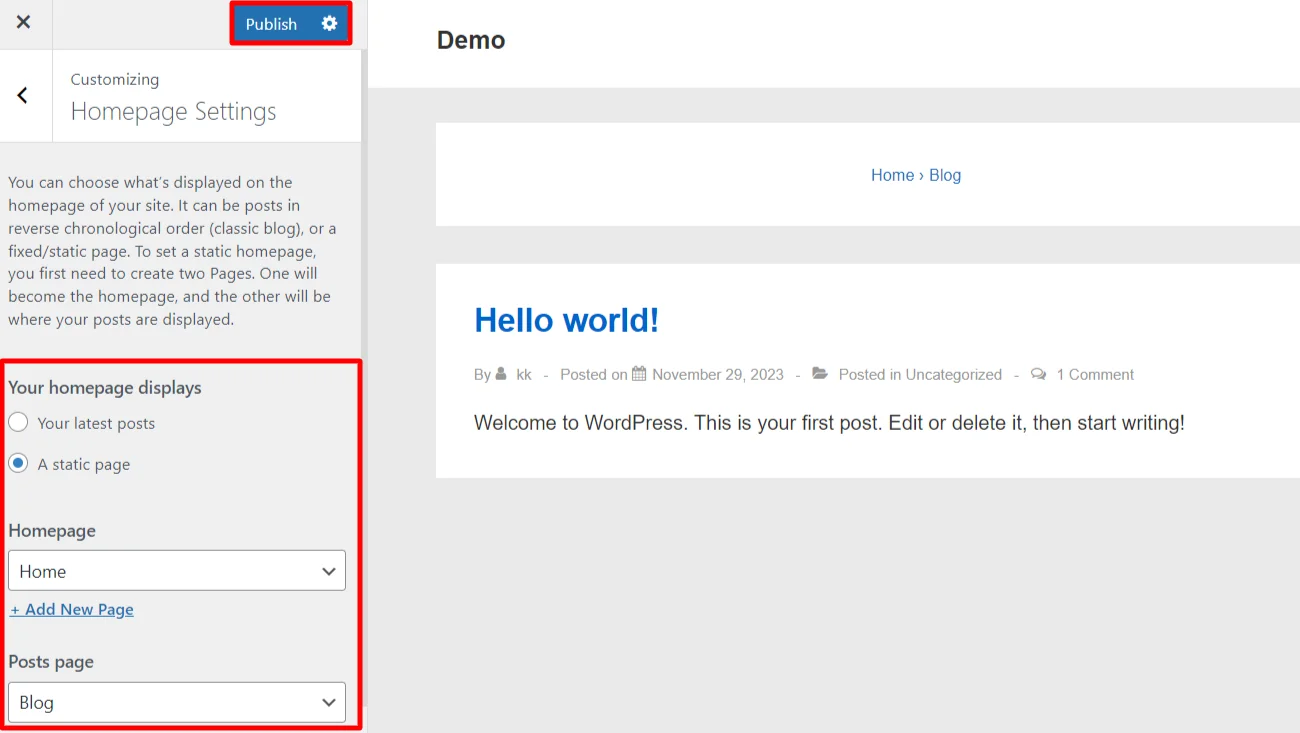
Here's a short form of the **Homepage Settings** process
**Step 1 : Login** to your WordPress admin dashboard.
**Step 2 :** Go to **Appearance > Customize > Homepage Settings**.
**Step 3 :** Select **A Static Page**.
**Step 4 :** Choose your desired **Homepage** and **Posts Page** from the dropdown menus.
**Step 5 :** Save and publish your changes.
{% endhint %}
#### **Option 2 :**
#### **Follow these steps to set a static homepage:**
{% hint style="success" %}
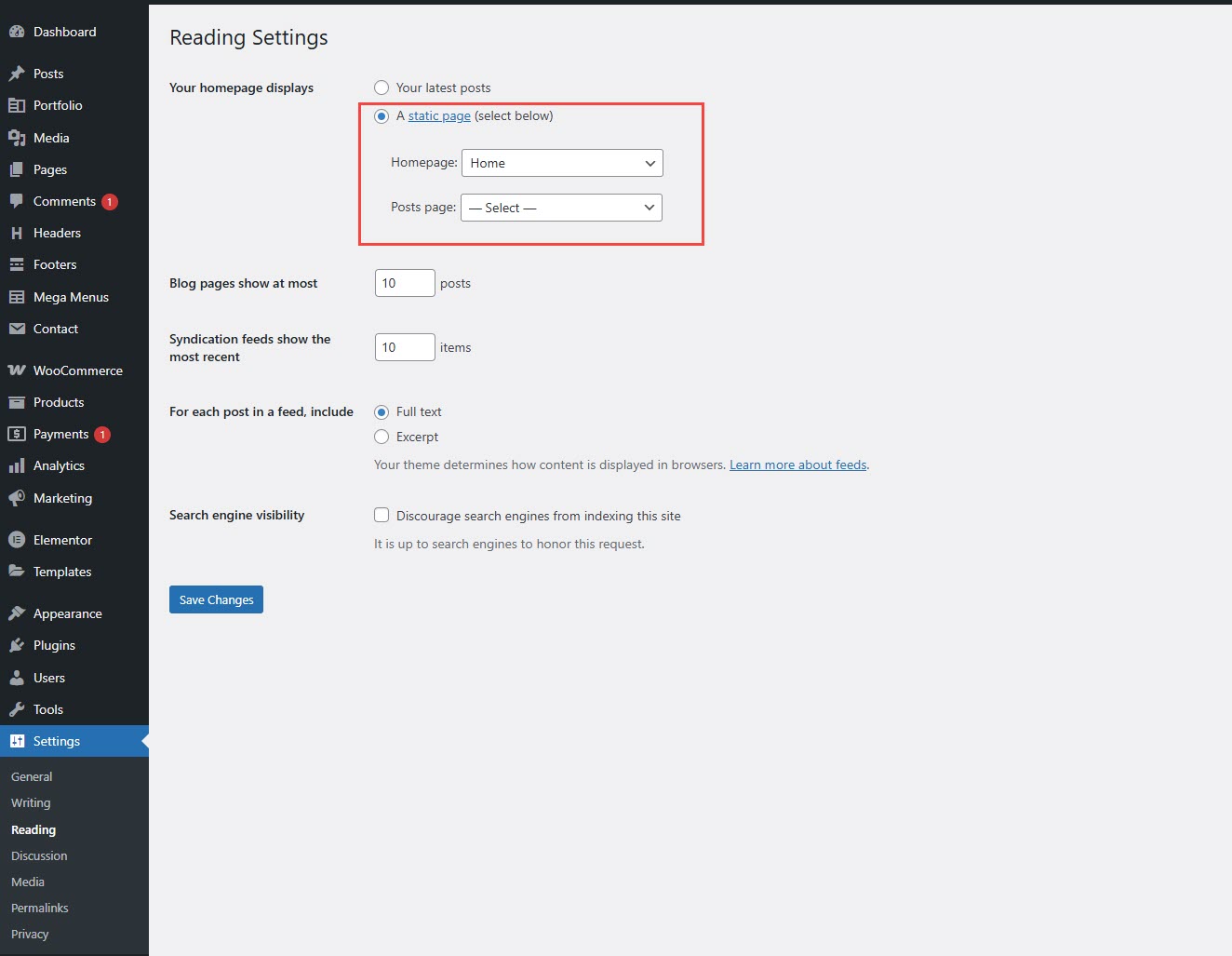
**Step 1 :** Log in to your **WordPress Dashboard.** Navigate to **Settings → Reading**.
**Step 2 :** Under **"Your homepage displays"**, select **Static Page**.
**Step 3 :** Choose the page you want as your homepage from the **Homepage** dropdown list.
**Step 4 :** Click **Save Changes** to apply the settings.
{% endhint %}