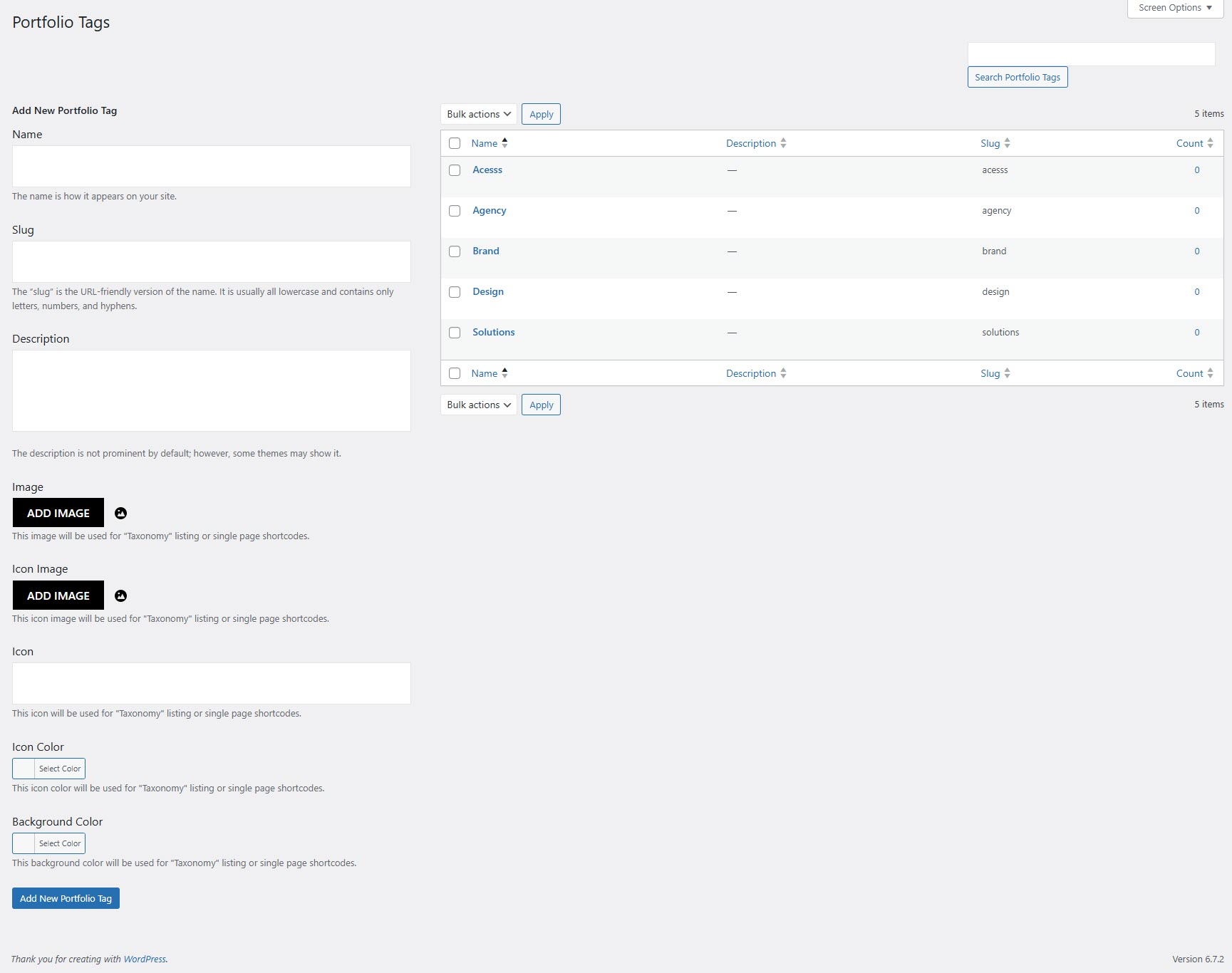
# Portfolio Tag
#### **How to Add a New Portfolio Tag in WordPress**
Portfolio tags help categorize and filter your portfolio items efficiently. Follow these steps to add a new portfolio tag:
**1. Navigate to Portfolio Tags**
* Go to **WordPress Dashboard** → **Portfolio** → **Portfolio Tag**
**2. Fill in the Tag Details**
* **Name**: Enter the tag name as you want it to appear on your site.
* **Slug**: Add a URL-friendly version of the tag name (lowercase, no spaces, use hyphens).
* **Description**: (Optional) Some themes may display this description.
**3. Customize Tag Appearance**
* **Image**: Upload an image for taxonomy listing or single-page shortcodes.
* **Icon Image**: Upload an icon image for portfolio listings.
* **Icon**: Select an icon to represent the tag.
* **Icon Color**: Choose a color for the icon.
* **Background Color**: Set a background color for the tag display.
**4. Save the Tag**
* Click **Add New Portfolio Tag** to save your changes.