# Maintenance mode
Maintenance mode is useful when you need to update your website without allowing visitors to see unfinished changes.
#### **Steps to Enable Maintenance Mode:**
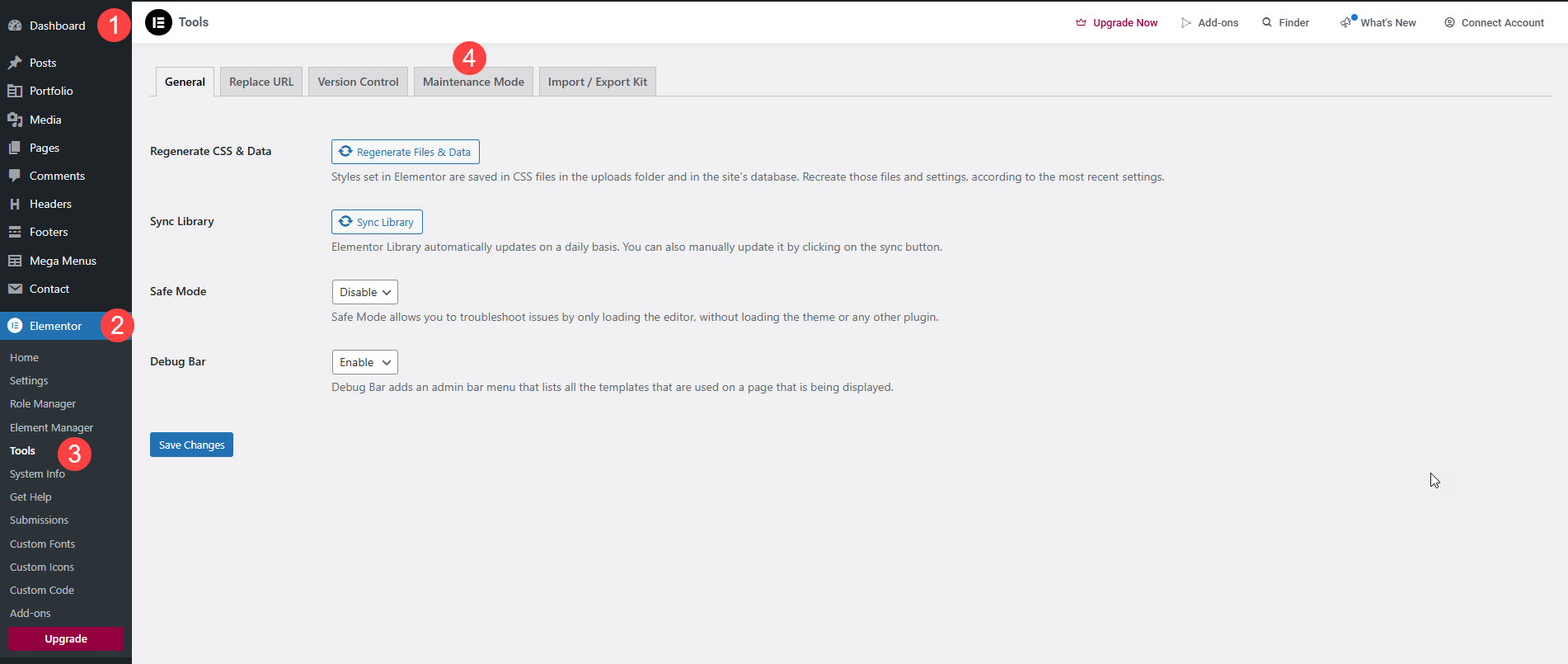
* **Go to WordPress Dashboard** → Navigate to **Elementor** → **Tools**.
* Click on the **Maintenance Mode** tab.
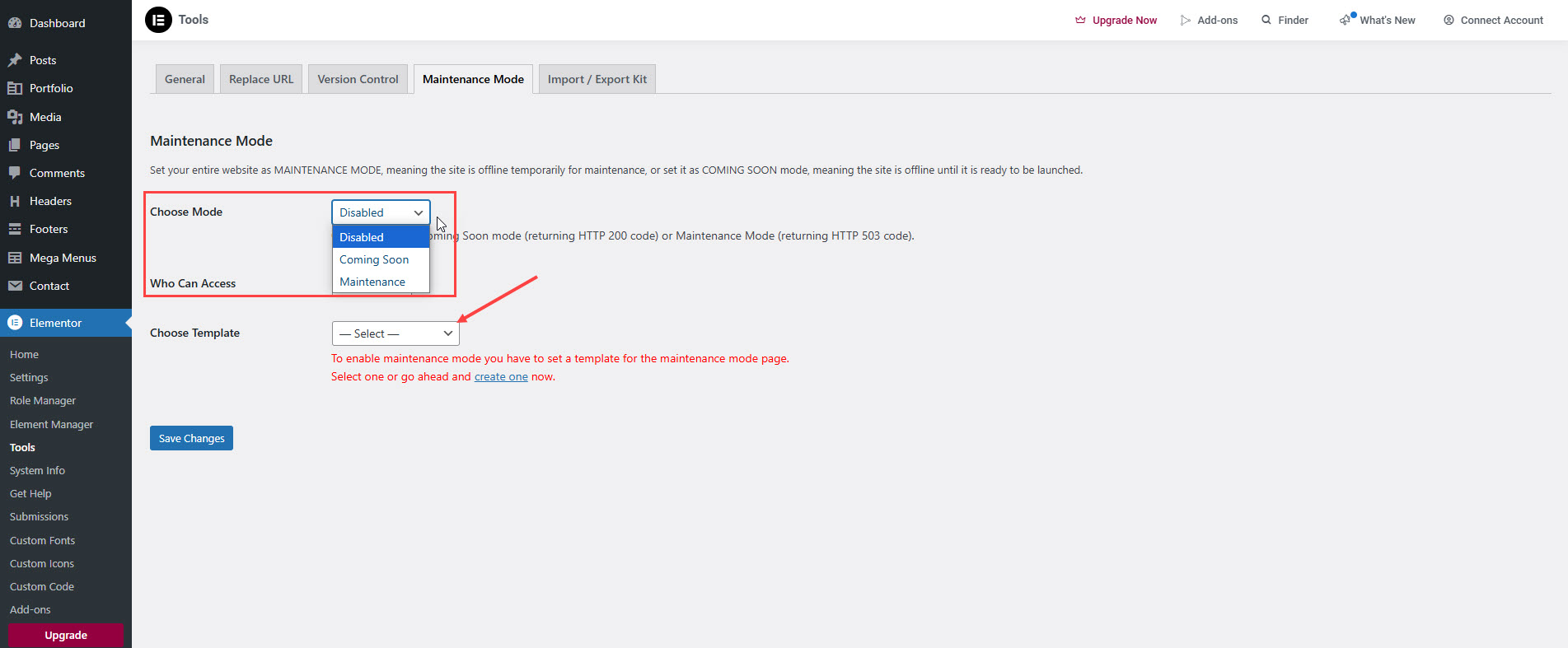
* Under **Mode**, select:
* **Maintenance:** Only logged-in admins can access the site, while visitors see the maintenance page.
* **Coming Soon:** Search engines can still index your site while showing a coming soon page to visitors.
* **Select a Template:**
* Choose an existing **Maintenance Mode** or **Coming Soon** page template.
* If you don’t have one, create a new page using **Elementor** and design it as needed.
* Click **Save Changes** to activate Maintenance Mode.