# Change page title
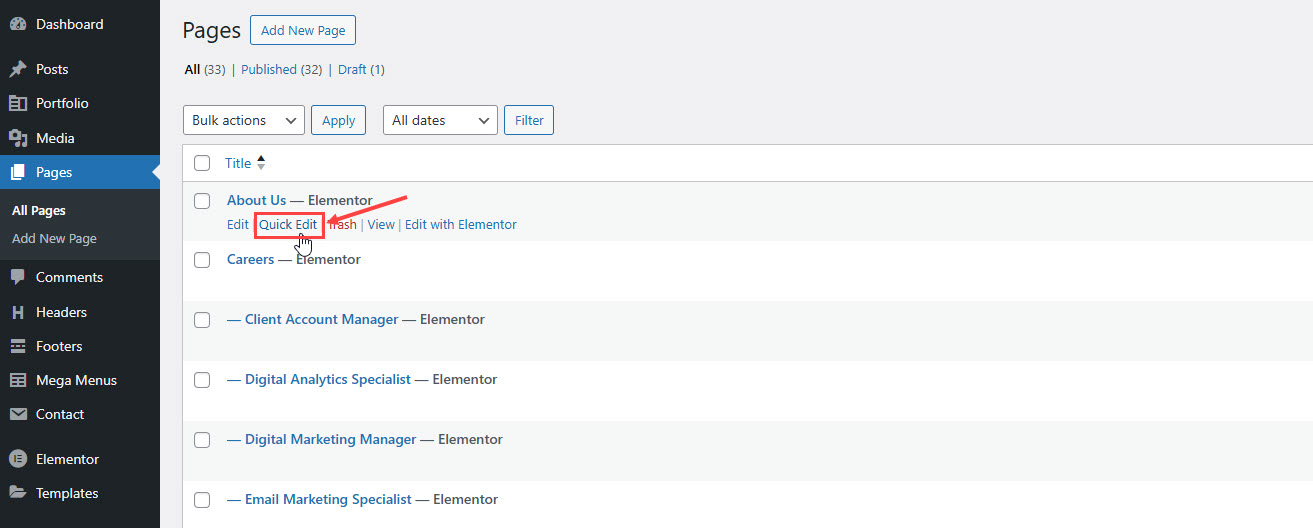
**Step 1**: Go to **Pages** > **All Pages**. Then point at the page you want to edit. You will see the **Quick Edit** option.
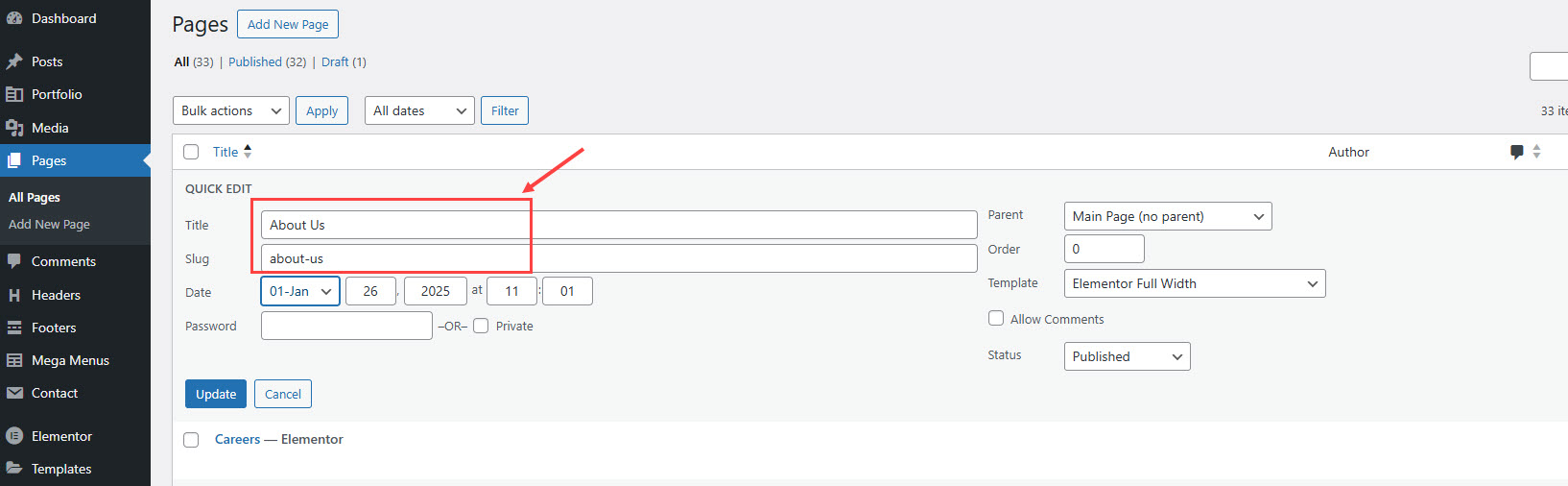
**Step 2**: Edit the title as you want. Delete the current slug. Then hit **Update**. It will automatically generate new slug for your page.
You can also edit some other options such as parent, template, status... If you want to edit more options, hit **Edit** instead of **Quick Edit**.