# Instagram API with Instagram Login
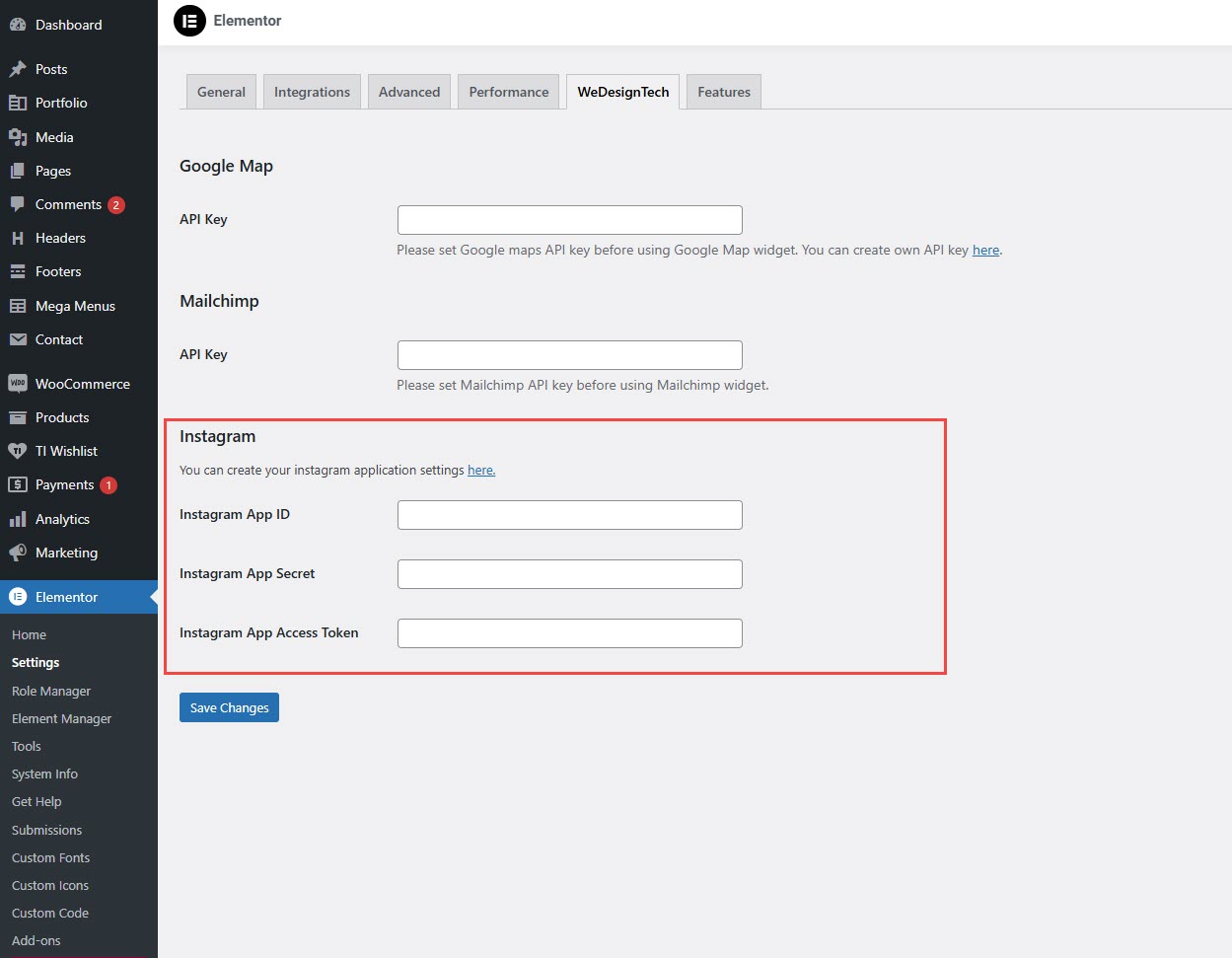
To integrate **Instagram** with your **Wedesigntech** theme via **Elementor**, follow these steps:
{% hint style="success" %}
* **Log in** to your WordPress admin panel.
* Navigate to **Elementor** > **Settings**.
* Click on the **Wedesigntech** tab.
* Locate the **Instagram** section.
* You will see the following fields:
* **Instagram App ID**
* **Instagram App Secret**
* **Instagram App Access Token**
* Enter the required credentials and click **Save Changes**.
{% endhint %}
#### **How to Get Instagram API Credentials?**
#### **Step 1: Create an Instagram App on Facebook Developers**
* Go to the [**Meta for Developers**](https://developers.facebook.com/) website.
* Click **Get Started** (if not done already).
* Navigate to **My Apps** > Click **Create App**.
* Choose **For Everything Else** and click **Next**.
* Enter an **App Name** and your **Email**, then click **Create App**.
* Under **Add a Product**, find **Instagram Basic Display**, and click **Set Up**.
#### **Step 2: Get Instagram App ID & App Secret**
* In your newly created app, go to **Settings** > **Basic**.
* Copy the **App ID** and **App Secret**.
* Add a valid **Privacy Policy URL** and configure your **App Domains**.
* Scroll down and **Add Instagram Basic Display** to your App.
* Under **Valid OAuth Redirect URIs**, add your website URL.
#### **Step 3: Get Instagram App Access Token**
* Go to **Instagram Basic Display** > **Add a New Instagram Tester**.
* Accept the request from your Instagram account.
* Go back to **Instagram Basic Display** > **Generate Token**.
* Copy the **Access Token** and paste it into Elementor settings.