# Google maps API integration
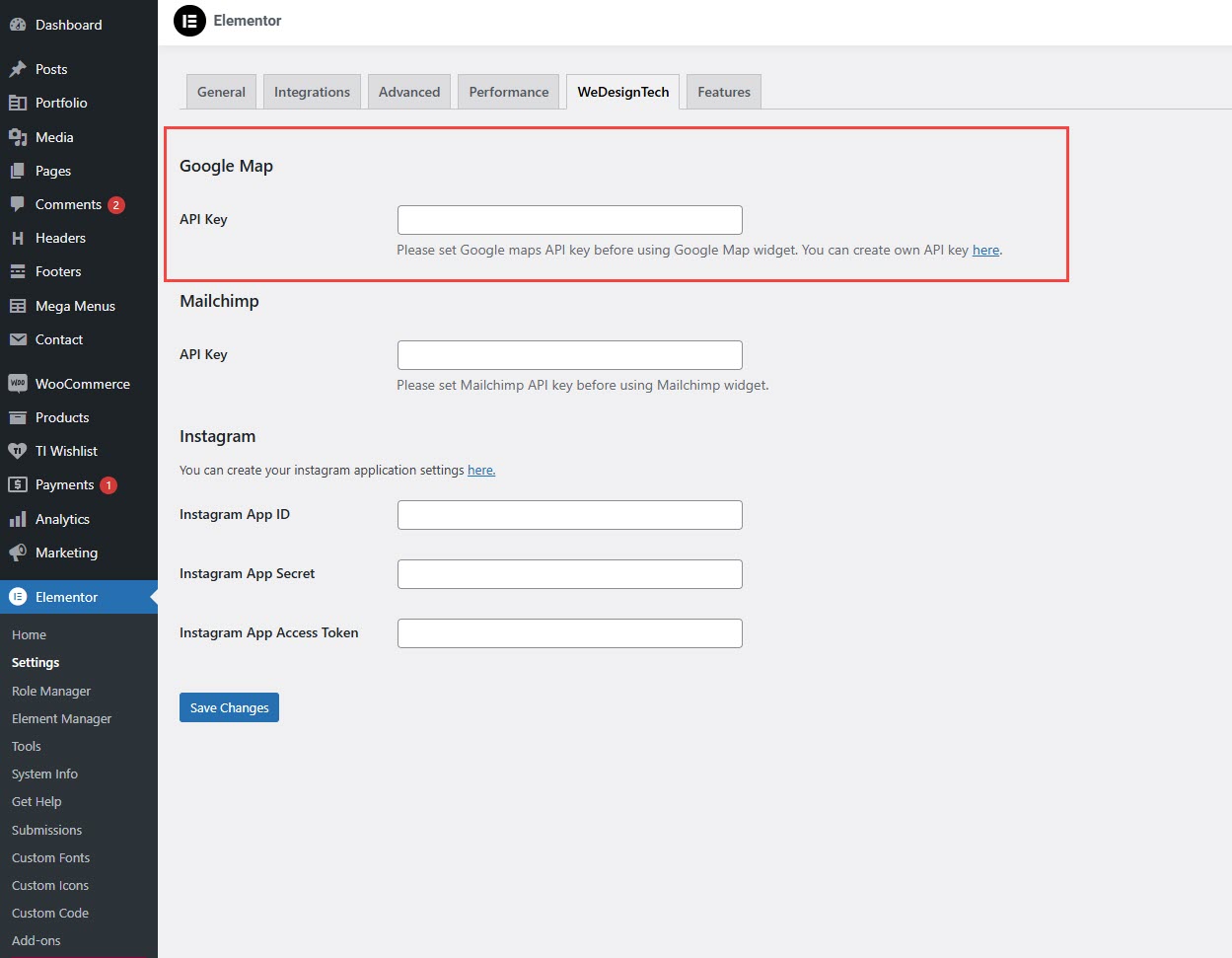
**Steps to Add Google Maps API Key in Elementor (Wedesigntech Theme)**
{% hint style="success" %}
* **Log in** to your WordPress admin panel.
* Navigate to **Elementor** > **Settings**.
* Click on the **Wedesigntech** tab.
* Locate the **Google Map API Key** field.
* Paste your **Google Maps API Key** in the field.
* Click **Save Changes**.
{% endhint %}
{% hint style="success" %}
[**How to Get a Google Maps API Key**](https://developers.google.com/maps/third-party-platforms/wordpress/generate-api-key)
{% endhint %}
{% embed url="" %}