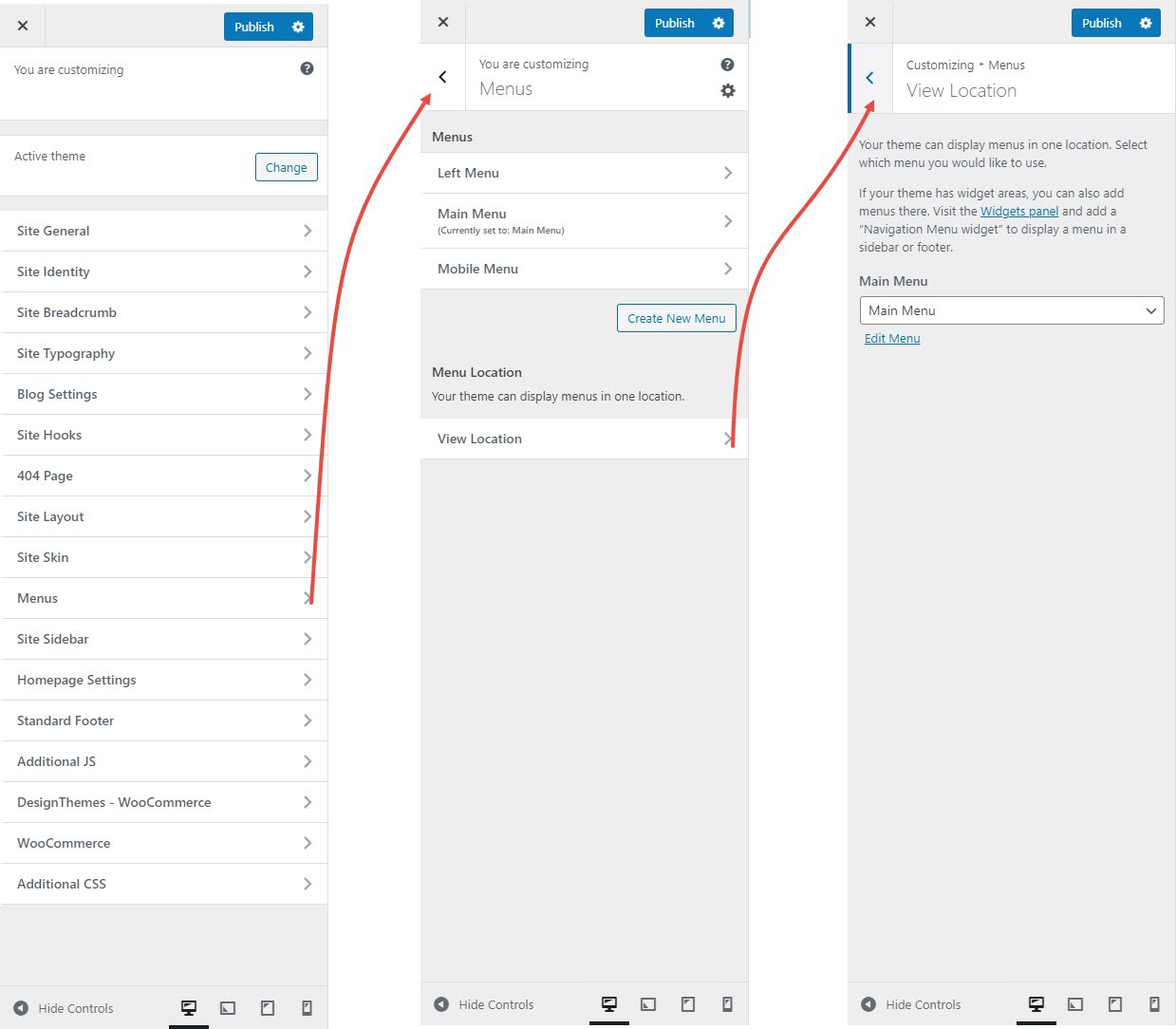
# Menus
To customize the display of your site's navigation menus in WordPress, you can adjust settings for both the main menu and dropdown menu through the **Appearance > Customize > Menus** section.
{% hint style="success" %}
Here's a short form of the **Menus** settings process
**Step 1 : Login** to your WordPress admin dashboard.
**Step 2 :** Go to **Appearance** > **Customize > Menu**.
**Step 3 :** Select **Site Menu**
* You can either edit an existing menu or create a new one.
* Add or remove menu items and rearrange them as needed.
**Step 4 :** Assign the menu to the desired location.
**Step 5 :** Click **Publish** to save your changes.
{% endhint %}
#### **Main Menu and Sub Menu Customization**:
#### **Main Menu**:
* **Create New Menus**
* Click **"Create New Menu"** to start a new navigation menu.
* Give it a name and assign it to a **display location** (e.g., Primary Menu, Footer Menu, Off-Canvas Menu).
* **Add Menu Items**
* Add pages, posts, custom links, categories, tags, or WooCommerce pages to your menu.
* Use the **“Add Items”** button to select what appears in the menu.
* **Reorder Items**
* Drag and drop menu items to reorder them or nest them as submenus (dropdowns).
* **Assign Display Locations**
* Assign menus to specific theme locations (e.g., Primary, Secondary, Footer, Mobile).
* **View Live Preview**
* As you edit your menus, you see a live preview on the right side.
#### **Sub Menu**
* In the **Main Menu** section, manage submenus by arranging them as dropdowns.
* Customize their appearance to match your site’s style.
**Mega Menu Option**:
* You can enable and customize **Mega Menus** to create a more complex and visually appealing menu layout
* **Mega Menus** allow you to display multiple columns of links, images, or even widgets, offering a richer and more organized navigation experience